
labs/assessment-toolkit-field-notes.mdx
Assessment Toolkit Field Notes
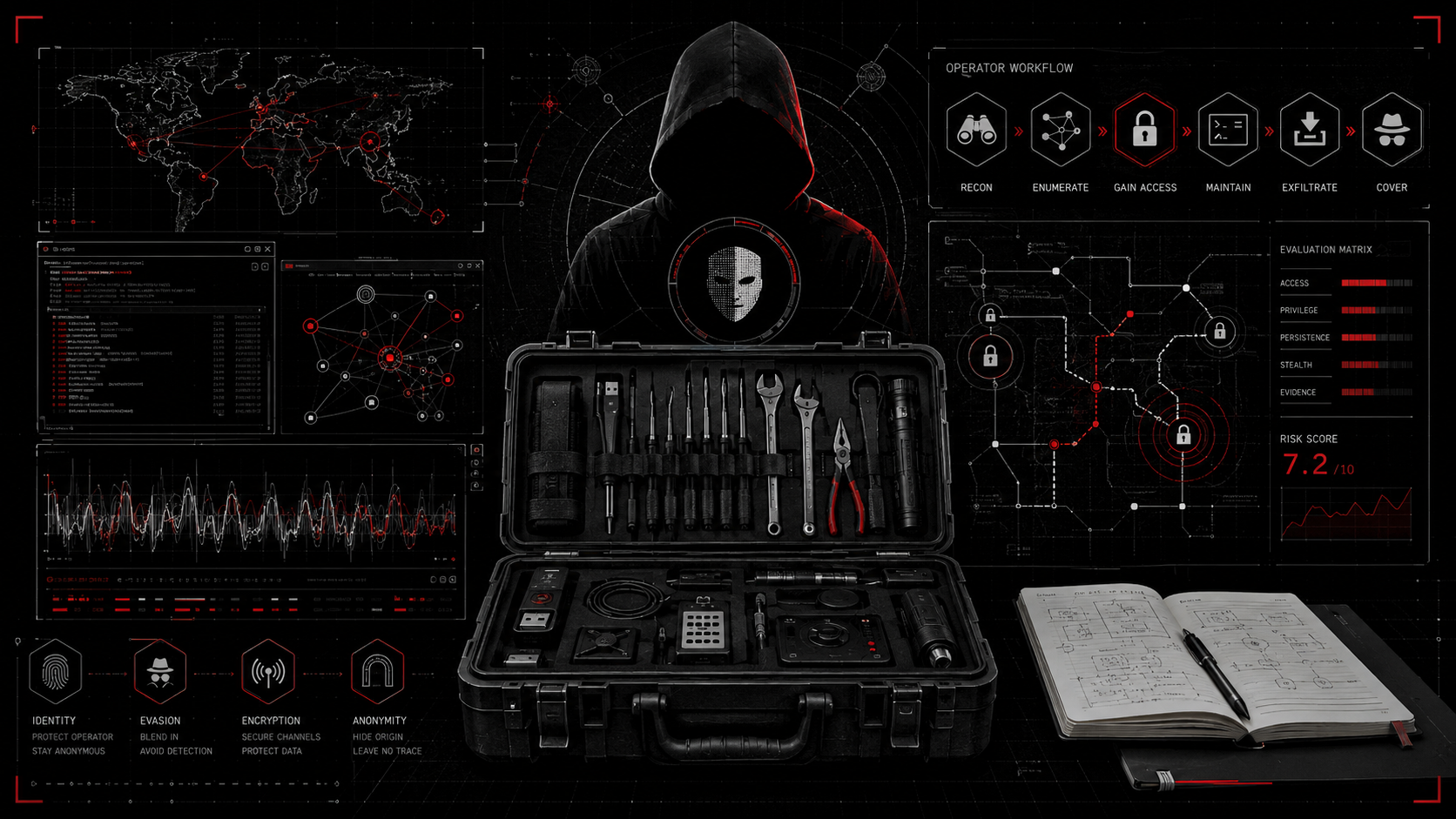
A practical field guide to commonly used tools across web, API, network, cloud, mobile, source code, wireless, and red team assessments.
$ cat ./labs/assessment-toolkit-field-notes/index.mdx --section notesLoaded local, published lab content from the repository.
Assessment Toolkit Field Notes
Tools are only useful when they support a clear testing objective.
That sentence sounds simple, but it took me time to really respect it. Early in a career, it is easy to treat a toolkit like a checklist: run this scanner, run that wordlist, collect output, move to the next thing. That approach creates noise. It creates folders full of files that nobody trusts. It creates reports where the tool is louder than the finding.
In real assessments, the better question is not "what can I run?" The better question is "what am I trying to prove, disprove, or understand?"
This post is a field guide for common tooling across different assessment types. It is not a magic list. It is not a replacement for methodology. It is a practical map of where tools fit, when they help, what to be careful with, and what evidence should come out the other side.
Every example in this post uses placeholders such as example.com, target.local, 10.0.0.0/24, and REDACTED. The workflow is intended for authorized labs, client-approved assessments, and controlled testing windows.
Why I Keep a Toolkit
A good toolkit is not just a folder of binaries. It is a way to reduce friction.
When an assessment starts, the first few hours matter. You are setting up notes, confirming scope, organizing artifacts, deciding how aggressive discovery should be, and making sure the work can be explained later. If the toolkit is organized, you spend less time remembering syntax and more time thinking.
I keep tools around for a few reasons:
- To make common setup repeatable.
- To reduce mistakes under time pressure.
- To capture evidence consistently.
- To compare output from more than one source.
- To support reporting without rebuilding context later.
The tool is never the finding. The tool is a way to ask a question.
The Assessment Mindset
The best operators I have worked with are not the people who run the most commands. They are the people who can explain why a command was run, what the result means, and what should happen next.
In practice, that means:
- Start with scope.
- Build a clean asset inventory.
- Separate raw output from analyst notes.
- Validate before reporting.
- Keep assumptions visible.
- Write remediation that a real team can act on.
Tools Do Not Replace Judgment
Tools are fast, but they are not accountable.
They do not understand business logic. They do not know whether a feature is intentionally exposed. They do not know whether a control exists somewhere else in the workflow. They also produce false positives, false negatives, and vague warnings that need careful handling.
Judgment is the part where you decide:
- Is this in scope?
- Is the observation reproducible?
- Is the impact real?
- Is there a safer way to validate it?
- Is the evidence clear enough for another person to understand?
- Does the remediation actually address the weakness?
Never paste tool output into a report and call it a finding. Explain the condition, the affected asset, the evidence, the impact, and the fix.
Environment and Workspace Setup
I like starting every assessment with a predictable folder structure. It keeps the engagement clean and makes handoff easier.
$ mkdir -p assessment/scope assessment/recon assessment/evidence assessment/screenshots assessment/notes assessment/reports assessment/tools$ cd assessment$ printf "example.com\ntarget.local\n10.0.0.0/24\n" > scope/approved-assets.txt$ date -u +"%Y-%m-%dT%H:%M:%SZ" | tee notes/start-time.txt
My normal folders look like this:
| Folder | Purpose | Notes |
|---|---|---|
scope/ | Approved targets and rules | Keep this explicit |
recon/ | Discovery and inventory | Raw and normalized lists |
evidence/ | Proof for findings | Preserve original output |
screenshots/ | Visual evidence | Redact before publishing |
notes/ | Analyst notes | Separate from raw evidence |
reports/ | Draft summaries | Final narrative and remediation |
tools/ | Local helper scripts | No secrets in Git |
1from pathlib import Path2 3SENSITIVE_WORDS = ["password", "token", "secret", "apikey"]4 5def needs_review(line: str) -> bool:6 return any(word in line.lower() for word in SENSITIVE_WORDS)7 8for path in Path("evidence").rglob("*.txt"):9 for number, line in enumerate(path.read_text(errors="ignore").splitlines(), start=1):10 if needs_review(line):11 print(f"[review] {path}:{number}")Reconnaissance and OSINT
Recon is where a lot of assessments go wrong. It is tempting to collect everything, but collection without triage creates a pile of noise.
For external work, I usually separate recon into:
- Passive discovery.
- DNS normalization.
- HTTP probing.
- Historical URL collection.
- Technology identification.
- Safe template-based checks.
- Manual validation.
Common tools:
- Amass
- Subfinder
- Assetfinder
- httpx
- dnsx
- shuffledns
- waybackurls
- gau
- katana
- nuclei
- Shodan
- Censys
- GitHub search
- Google dorks, used carefully and generically
$ subfinder -d example.com -silent -o recon/subfinder.txt$ amass enum -passive -d example.com -o recon/amass.txt$ assetfinder --subs-only example.com | tee recon/assetfinder.txt$ sort -u recon/subfinder.txt recon/amass.txt recon/assetfinder.txt > recon/all-subdomains.txt$ wc -l recon/all-subdomains.txt
$ dnsx -l recon/all-subdomains.txt -a -resp -o recon/dnsx-a-records.txt$ httpx -l recon/all-subdomains.txt -title -tech-detect -status-code -follow-redirects -o recon/httpx.txt
$ waybackurls example.com | tee recon/waybackurls.txt$ gau example.com | tee recon/gau.txt$ sort -u recon/waybackurls.txt recon/gau.txt > recon/historical-urls.txt
$ nuclei -l recon/httpx.txt -severity low,medium -exclude-templates intrusive/ -o evidence/nuclei-safe.txtWhat to collect:
- Source of each asset.
- DNS records.
- HTTP title, status, redirect chain, and technology hints.
- Screenshots for unusual admin panels or exposed services.
- Notes about false positives or dead assets.
Network Assessment Tools
Network tooling should respect the testing window. A fast scan is not always a good scan. If the environment is fragile or the scope is sensitive, tune the scan profile and document why.
Common tools:
- Nmap
- Masscan, with caution and explicit authorization
- Rustscan, when fast discovery is allowed
- Netcat
- Wireshark
- tcpdump
- enum4linux-ng
- NetExec or CrackMapExec for authorized internal assessments
$ nmap -sn -iL scope/approved-assets.txt -oA recon/ping-sweep$ grep "Nmap scan report" recon/ping-sweep.gnmap | cut -d " " -f5 | tr -d '()' | tee recon/live-hosts.txt
$ nmap -sV -Pn -iL recon/live-hosts.txt -oA evidence/nmap-service-scan$ grep -E "open|Host:" evidence/nmap-service-scan.gnmap | tee recon/open-services.txt
$ tcpdump -i eth0 host target.local -w evidence/target-local-sample.pcap$ tcpdump -r evidence/target-local-sample.pcap -nn | head
Masscan is useful when speed is approved and the environment can tolerate it. In many client environments, slower and more controlled discovery is the better professional choice.
Web Application Testing Tools
For web applications, tools help you organize requests and find leads. The real value usually comes from manual validation, understanding roles, and mapping the application logic.
Common tools:
- Burp Suite
- OWASP ZAP
- FFUF
- Feroxbuster
- Gobuster
- Nikto
- Nuclei
- Dalfox
- SQLMap, only with explicit authorization and careful validation
- Wappalyzer or other technology detection
$ ffuf -u https://example.com/FUZZ -w wordlists/common.txt -mc 200,301,302,403 -o evidence/ffuf.json$ cat evidence/ffuf.json | jq '.results[] | [.url, .status, .length]'
$ feroxbuster -u https://example.com -w wordlists/common.txt -x php,txt,json -o evidence/feroxbuster.txt$ printf "Save Burp request and response pair for validated issue.\n" | tee evidence/web-request-response-note.txt$ printf "Screenshot affected role and endpoint with secrets REDACTED.\n" | tee screenshots/redaction-checklist.txt
Evidence to capture:
- Request and response pairs.
- Role or permission context.
- Screenshots with sensitive values redacted.
- Reproduction notes.
- Impact explanation.
- Remediation linked to the vulnerable behavior.
API Security Testing Tools
API work is often about consistency. Does every endpoint enforce the same authorization model? Are object identifiers protected? Are roles checked server-side? Are error messages leaking too much?
Common tools:
- Postman
- Insomnia
- Burp Suite
- mitmproxy
- jq
- GraphQL Voyager and GraphQL tooling
- JWT tooling
$ curl -s https://example.com/api/health | tee evidence/api-health.json$ cat evidence/api-health.json | jq '.'
$ cat response.json | jq '.items[] | .id, .role, .created_at'1{2 "roles": ["viewer", "editor", "admin"],3 "endpoints": [4 {5 "path": "/api/items",6 "method": "GET",7 "expected": ["viewer", "editor", "admin"]8 },9 {10 "path": "/api/items/{id}",11 "method": "DELETE",12 "expected": ["admin"]13 }14 ]15}What to be careful with:
- Do not brute force object IDs in a way that creates operational noise.
- Validate authorization with approved test users only.
- Keep tokens and session values out of notes.
- Record the exact role context behind each observation.
Cloud Security Tools
Cloud assessment tooling is useful because environments become large quickly. The risk is assuming the tool understands the organization. It does not. It can show a configuration state; you still need context.
Common tools:
- AWS CLI
- Azure CLI
- GCP CLI
- Prowler
- ScoutSuite
- Pacu, only in authorized cloud assessments
- Cloudsplaining
- TruffleHog
- Gitleaks
$ aws sts get-caller-identity$ aws configure list
$ prowler aws --output-directory evidence/prowler --output-formats json,csv$ gitleaks detect --source ./source-review --report-path evidence/gitleaks-report.json$ trufflehog filesystem ./source-review --json > evidence/trufflehog.json
Evidence to capture:
- Role or account context.
- Affected resource names, redacted if needed.
- Policy or configuration snippets.
- Screenshots from cloud consoles if approved.
- Business impact and remediation owner.
Active Directory / Internal Assessment Tools
Internal assessment tooling can become sensitive very quickly. I treat it with more discipline than most other categories because the environment is usually closer to production identity, internal services, and operational risk.
Common tools:
- BloodHound
- SharpHound
- NetExec
- Impacket
- Responder, only in authorized lab or client-approved conditions
- Kerbrute
- LDAPDomainDump
- PingCastle
$ ldapsearch -x -H ldap://dc01.target.local -s base namingcontexts | tee evidence/ldap-naming-contexts.txt$ ldapsearch -x -H ldap://dc01.target.local -b "DC=TARGET,DC=LOCAL" "(objectClass=domain)" | tee evidence/domain-object.txt
$ dig @dc01.target.local _ldap._tcp.dc._msdcs.TARGET.LOCAL SRV$ dig @dc01.target.local _kerberos._tcp.TARGET.LOCAL SRV
$ PingCastle --healthcheck --server dc01.target.local --no-enum-limitThis section intentionally avoids commands for credential theft, relay attacks, coercion, persistence, or lateral movement. Those activities require explicit written authorization, careful coordination, and are not appropriate for a public field-notes template.
Mobile Security Tools
Mobile testing is a mix of static review, dynamic observation, traffic analysis, and platform-specific behavior. The tools are useful, but the setup matters: device state, proxy trust, app build type, test accounts, and scope should be clear before testing starts.
Common tools:
- MobSF
- adb
- apktool
- jadx
- Frida
- objection
- Burp Suite mobile proxying
$ adb devices$ adb shell getprop ro.build.version.release$ adb shell pm list packages | grep example
$ apktool d example-app.apk -o evidence/apktool-output$ jadx -d evidence/jadx-output example-app.apk
What to collect:
- App version and build identifier.
- Test device details.
- Network request examples.
- Storage observations.
- Screenshots of sensitive behavior.
- Remediation notes tied to platform guidance.
Wireless Security Tools
Wireless testing needs very clear authorization. You are dealing with radio space, client devices, and shared environments. Keep it controlled.
Common tools:
- Wireshark
- aircrack-ng suite
- Kismet
- bettercap
$ kismet -c wlan0mon --no-ncurses --log-prefix evidence/wireless-lab$ printf "Record SSID, channel, encryption, and authorized test window.\n" | tee notes/wireless-checklist.txt
Keep wireless tests inside approved lab or client-owned scope. Do not disrupt nearby networks or client devices. Document test windows and operating constraints.
Source Code Review Tools
Source review is where simple tools can deliver a lot of value. The best results come from combining automated checks with manual review of risky patterns.
Common tools:
- Semgrep
- CodeQL
- Gitleaks
- TruffleHog
- ripgrep
- dependency scanners
- npm audit
- pip-audit
- osv-scanner
$ rg -n "TODO|FIXME|password|token|secret|api[_-]?key" ./source-review | tee evidence/rg-sensitive-patterns.txt$ semgrep scan --config auto ./source-review --json -o evidence/semgrep.json$ npm audit --json > evidence/npm-audit.json$ pip-audit -r requirements.txt -f json > evidence/pip-audit.json$ osv-scanner --recursive ./source-review --json > evidence/osv-scanner.json
1type Finding = {2 title: string;3 affectedFile: string;4 evidence: string;5};6 7export function sanitizeFinding(finding: Finding): Finding {8 return {9 ...finding,10 evidence: finding.evidence.replace(/[A-Za-z0-9._%+-]+@[A-Za-z0-9.-]+/g, "REDACTED_EMAIL")11 };12}Thick Client Testing Tools
Thick client work is about observing how the application behaves on the endpoint and across the network. It can include local storage review, process behavior, traffic inspection, and protocol analysis.
Common tools:
- Procmon
- Process Explorer
- Wireshark
- Burp Suite proxying
- dnSpy or ILSpy
- Ghidra
- strings
- Sysinternals tools
$ printf "Record process name, version, install path, user context, and network endpoints.\n" | tee notes/thick-client-baseline.txt$ printf "Save Procmon filters and screenshots with sensitive data REDACTED.\n" | tee notes/procmon-evidence.txt
$ strings ./client-binary.exe | rg -i "http|api|token|password|secret" | tee evidence/strings-review.txtRed Team Operations and OPSEC-Aware Workflow
Red team work uses some of the same categories, but the planning is different. The question becomes: what is the objective, what is the scope, what is allowed, what is the test window, and how do we avoid unnecessary disruption?
Common tools vary heavily by engagement and rules of engagement. For a public field note, the important part is the workflow, not the sensitive tradecraft.
OPSEC-Aware Testing Without the Drama
OPSEC-aware testing is not about hiding malicious behavior. In a professional engagement, it means being disciplined.
It means:
- Staying inside authorized scope.
- Reducing unnecessary noise.
- Coordinating with stakeholders when needed.
- Avoiding accidental disruption.
- Logging what was done.
- Protecting client data.
- Keeping evidence secure.
It does not mean:
- Hiding malware.
- Bypassing real defensive controls without authorization.
- Evading law enforcement.
- Maintaining persistence.
- Taking actions that are outside the rules of engagement.
Controlled Assessment Flow
Objective -> authorized scope -> planned test window -> controlled execution -> evidence capture -> stakeholder communication -> remediation.
Evidence Collection and Note Taking
Evidence is what turns the work into something useful. Without evidence, the report becomes opinion.
Evidence First
Good evidence usually includes:
- The affected asset.
- The affected user or role, if relevant.
- The request and response, if web or API related.
- The timestamp.
- A screenshot with sensitive data redacted.
- The exact condition observed.
- The realistic impact.
- A remediation note.
$ mkdir -p evidence/package/raw evidence/package/redacted evidence/package/screenshots$ cp evidence/.json evidence/package/raw/ 2>/dev/null || true$ cp screenshots/.png evidence/package/screenshots/ 2>/dev/null || true$ printf "Manual redaction complete: REDACTED values reviewed.\n" | tee evidence/package/redacted/review-note.txt
| Evidence Type | Why It Matters | Common Mistake |
|---|---|---|
| Screenshot | Helps reviewers understand context | Exposing secrets |
| Request/response | Shows exact behavior | Missing role context |
| Tool output | Supports discovery or validation | Reporting it without review |
| Notes | Captures assumptions | Mixing guesses with facts |
| Timeline | Explains sequence | Missing timestamps |
Reporting and Remediation
Reporting is where the assessment becomes useful to the client. I try to write findings so the reader can answer four questions quickly:
- What is affected?
- What was observed?
- Why does it matter?
- What should be done?
Report Writing Reminders
- Write the finding in plain language first.
- Add technical detail after the impact is clear.
- Separate evidence from assumptions.
- Keep remediation realistic.
- Include retest guidance where appropriate.
$ mkdir -p reports/assessment-toolkit-field-notes$ cp notes/start-time.txt reports/assessment-toolkit-field-notes/$ cp evidence/package/redacted/review-note.txt reports/assessment-toolkit-field-notes/$ printf "# Assessment Notes\n\nScope: authorized assessment\nStatus: sanitized\n" > reports/assessment-toolkit-field-notes/summary.md
Tool Selection Matrix
| Assessment Area | Common Tools | Best Use | Evidence to Capture | Caution |
|---|---|---|---|---|
| Recon / OSINT | Amass, Subfinder, httpx, dnsx, gau | Asset discovery and inventory | Source lists, DNS, titles, screenshots | Avoid unverified assumptions |
| Network | Nmap, Wireshark, tcpdump, enum4linux-ng | Service mapping and packet review | Service output, captures, host lists | Tune scans to scope |
| Web | Burp, FFUF, Nuclei, ZAP | Request analysis and validation | Requests, responses, screenshots | Validate manually |
| API | Postman, Burp, jq, mitmproxy | Endpoint and role testing | Endpoint maps, role matrix | Avoid noisy brute force |
| Cloud | Prowler, ScoutSuite, cloud CLIs | Configuration review | Findings, policies, screenshots | Confirm permissions |
| Internal / AD | BloodHound, LDAPDomainDump, PingCastle | Identity and exposure mapping | Graphs, posture reports, LDAP notes | Handle data carefully |
| Mobile | MobSF, adb, apktool, jadx | Static and dynamic review | Build info, traffic, storage notes | Use approved test devices |
| Wireless | Wireshark, Kismet, aircrack-ng suite | Wireless inventory and analysis | SSID/channel/encryption notes | Stay inside test window |
| Source Code | Semgrep, CodeQL, Gitleaks, ripgrep | Pattern and dependency review | Findings, code references | Confirm reachability |
| Thick Client | Procmon, Wireshark, ILSpy, strings | Process and protocol behavior | Process traces, screenshots | Protect local data |
Practical Command Reference
| Objective | Safe Example Command | Output |
|---|---|---|
| Workspace setup | mkdir -p assessment/{recon,evidence,notes,reports} | Clean folder structure |
| Passive subdomains | subfinder -d example.com -silent | Candidate subdomains |
| HTTP probing | httpx -l recon/all-subdomains.txt -title -tech-detect | Web inventory |
| Service scan | nmap -sV -Pn target.local | Service versions |
| Directory discovery | ffuf -u https://example.com/FUZZ -w wordlists/common.txt | Candidate paths |
| JSON parsing | cat response.json | jq '.' | Readable JSON |
| Secret scan | gitleaks detect --source ./source-review | Potential secrets |
| Evidence package | mkdir -p evidence/package/{raw,redacted} | Report-ready structure |
Reporting Checklist
| Item | Question |
|---|---|
| Scope | Was this target authorized? |
| Evidence | Can another person understand the proof? |
| Impact | Is the business or technical risk clear? |
| Reproduction | Are steps safe and client-appropriate? |
| Remediation | Can the team act on the guidance? |
| Redaction | Are secrets, tokens, and private data removed? |
| Retest | Is there a clear validation path? |
Lessons Learned
Tools make work faster, but they do not make the work better by default. Better comes from knowing when to slow down.
I have learned to trust a small set of habits:
- Start with scope.
- Keep notes clean.
- Save raw output.
- Validate manually.
- Redact early.
- Write findings like a human.
- Treat remediation as part of the work, not an afterthought.
The strongest assessment is not the one with the biggest folder of output. It is the one where the evidence, risk, and remediation line up clearly.
Final Thoughts
A toolkit should support the operator, not replace the operator.
The difference between a noisy assessment and a useful one is usually judgment. The right tool at the right time can make a finding easier to validate. The wrong tool at the wrong time can create noise, risk, and confusion.
I keep tools because they help me move faster. I rely on methodology because it helps me move correctly.
References
Lab timeline
References
Related labs
No research found
Try a different search or filter set.